Modern web applications often use JavaScript to improve usability by enabling or disabling buttons, hiding interface elements, or validating form input before submission. These mechanisms create a better user experience, but being client side are easily bypassed.
This article covers several client side controls and how they can be bypassed. To demonstrate bypassing these controls a Python Flask application is used which is available at the end of the article.
Challenge1: Disabled Elements
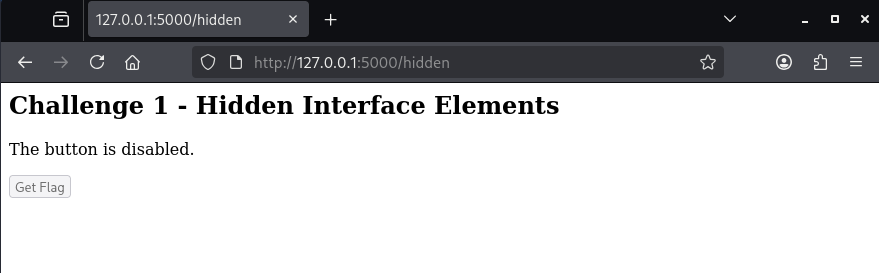
Certain interface elements such as buttons may be disabled.
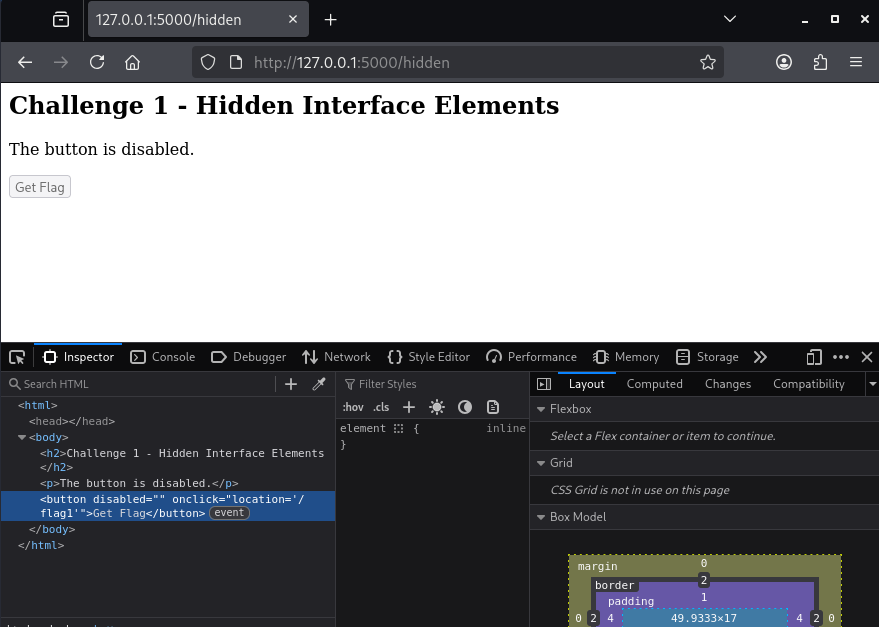
In Firefox, hit F12 to open the developer tools and select inspector.
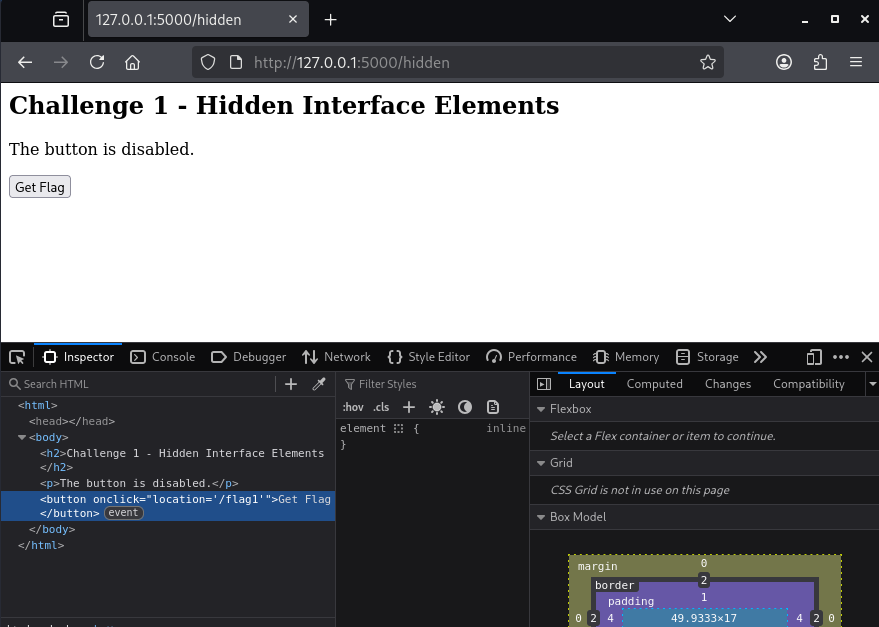
Removed the button property of “disabled” to re-enable the button.
Challenge 2: Client Side JavaScript Validation
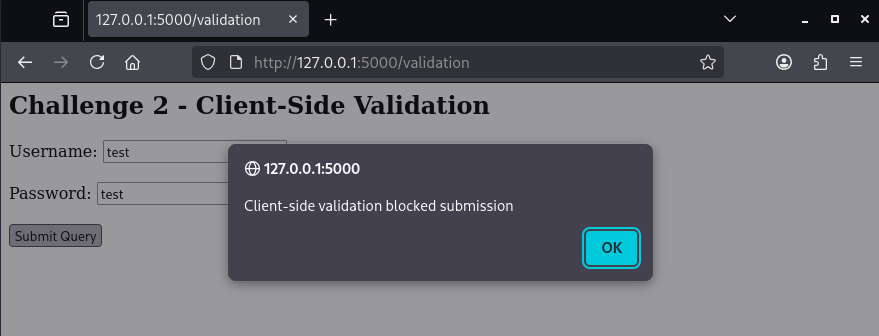
In the next example, we can enter a username and password, but submitting the form results in a JavaScript error.
Inspecting the JavaScript code in developer tools we can see there is a function validate() that always returns false.
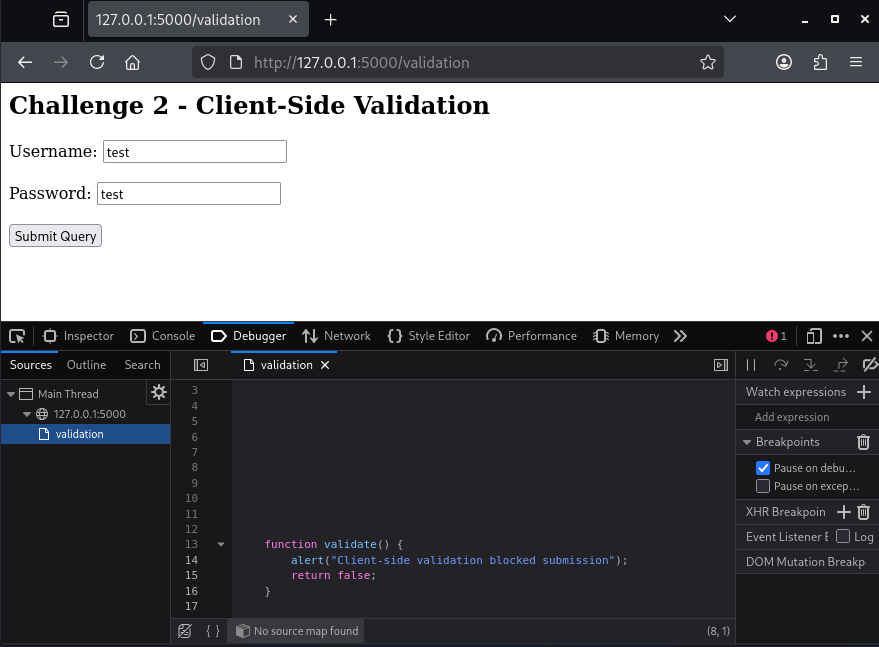
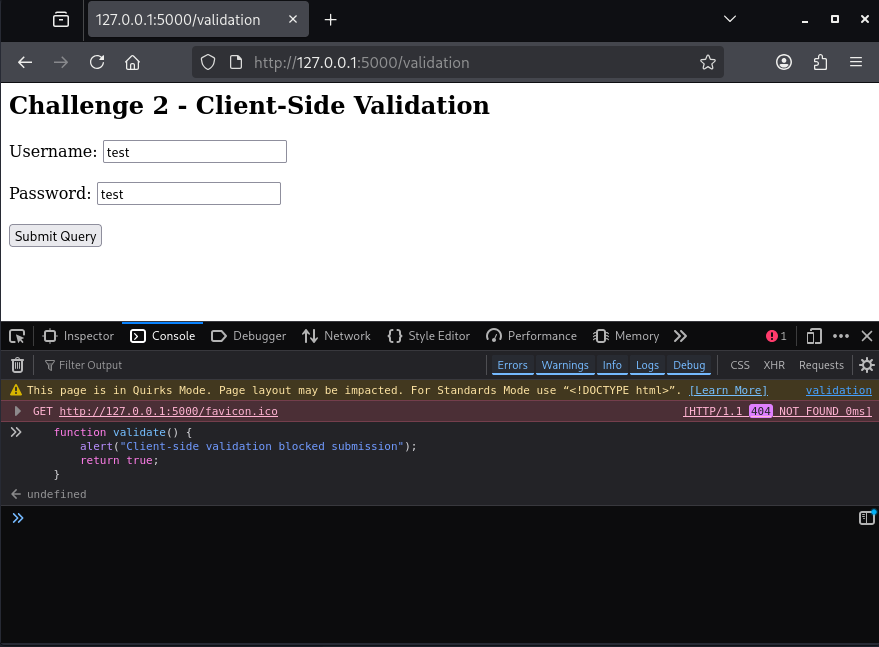
Copy the function to the Console, and modify it so it always returns true. Our modified function will then take precedence, allowing us to login.
Challenge3: Modifying JavaScript Variables
In the next example, JavaScript is used for access control.
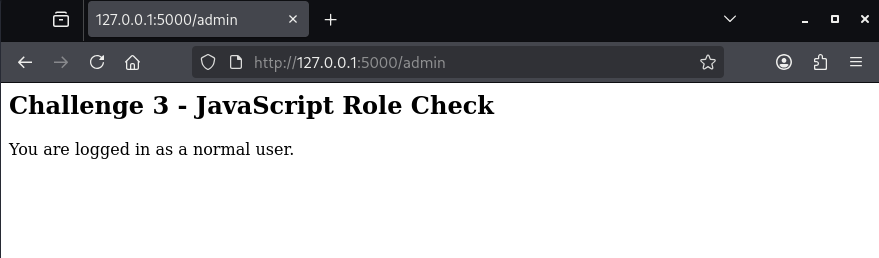
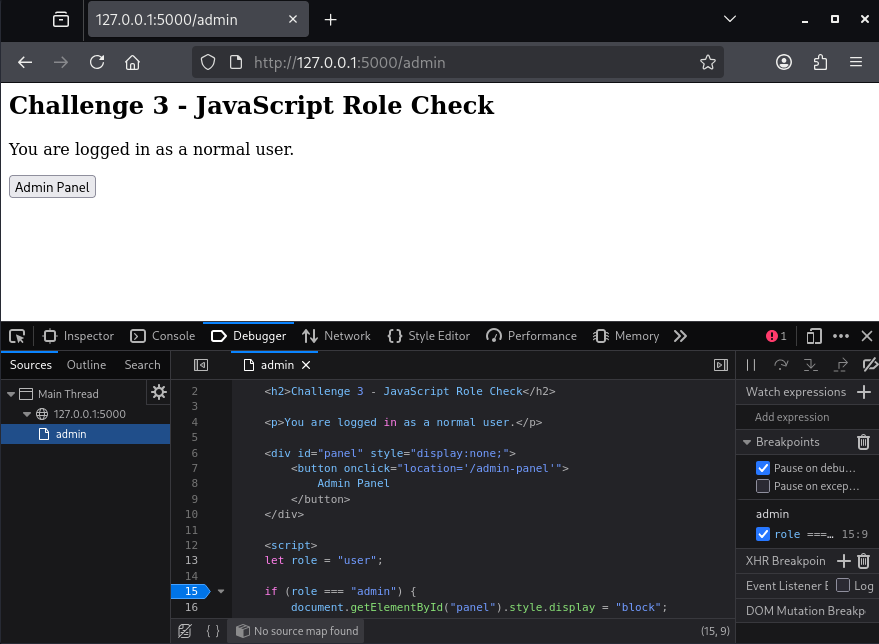
Inspecting the loaded JavaScript, we can see the role needs to be set to admin to display a hidden form element. Click on the number 15 to set a break point, and refresh the page.
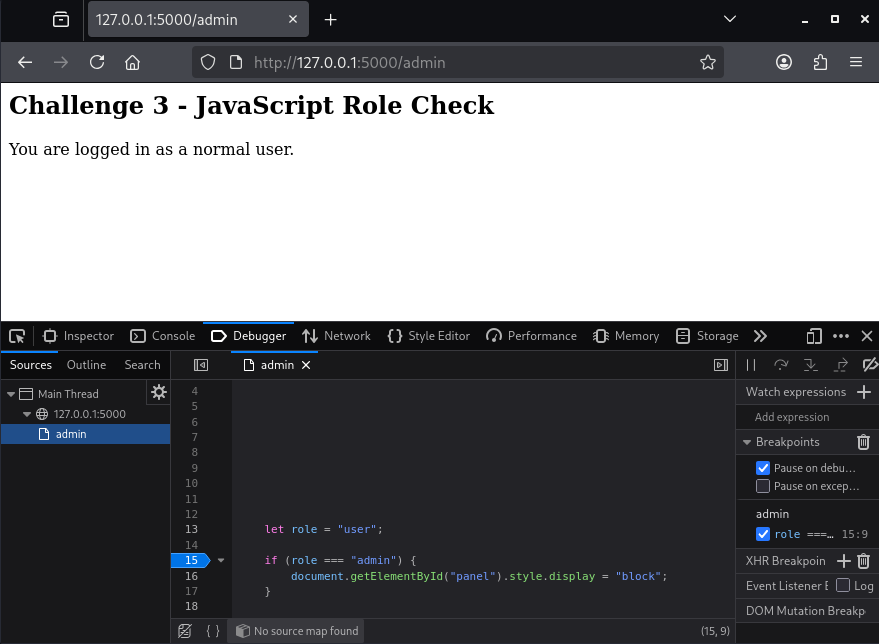
When the breakpoint hits, switch to the console and enter the following to modify the variable.
role = "admin";
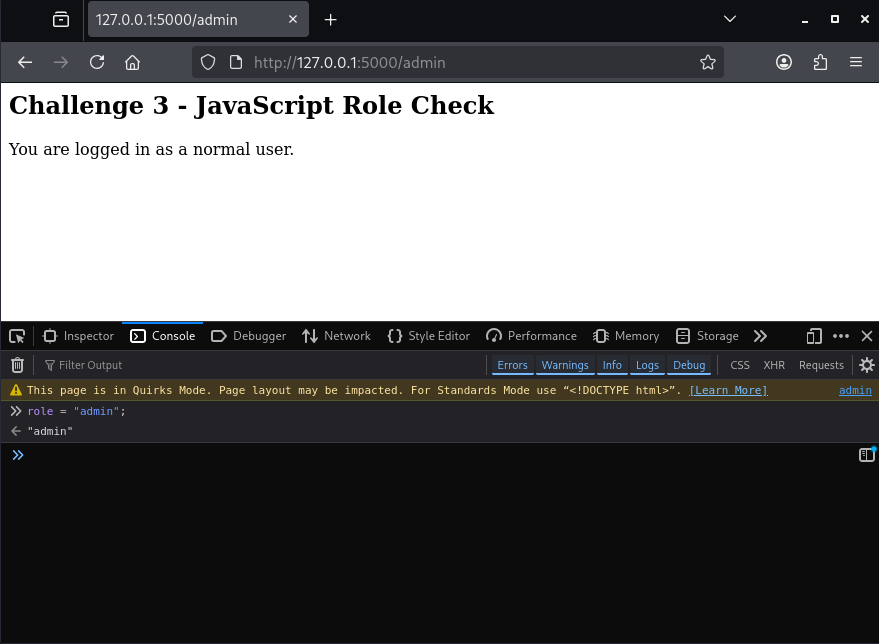
Click back to the debugger tab, and press the play button to continue execution. The admin panel button should appear.
Challenge 4: Forced Redirects
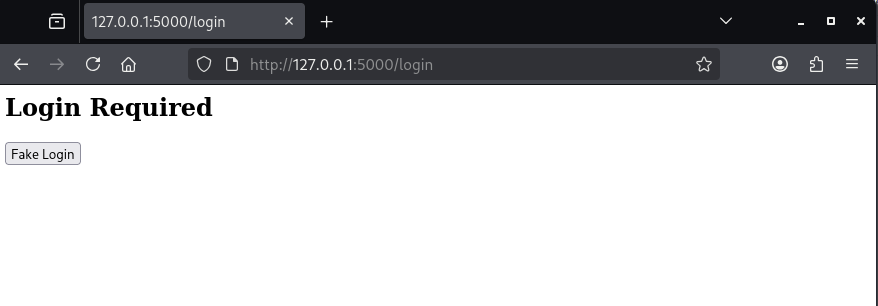
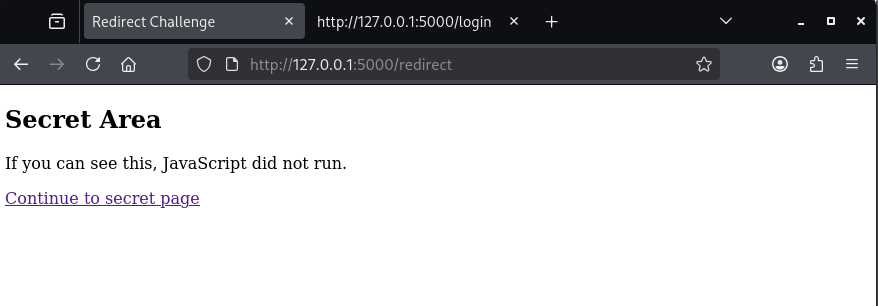
In the next example, JavaScript is executing that automatically redirecting us to a login page.
<script>
window.location.replace("/login");
</script>
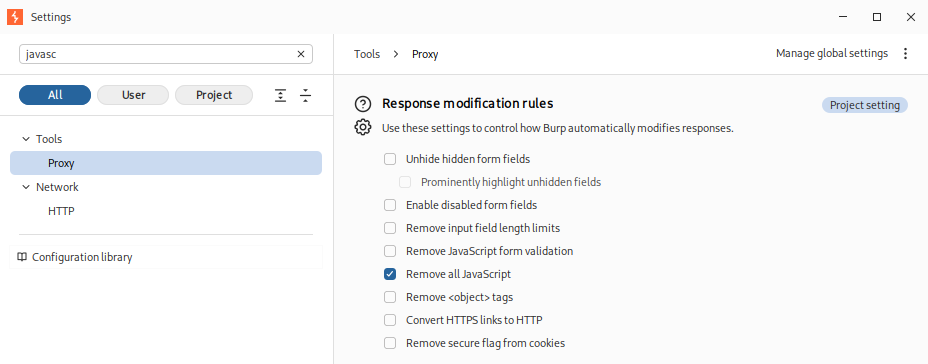
BurpSuite can be used to disable JavaScript by setting a response modification rule.
Refreshing the page should no longer automatically redirect us away.
Challenge 5: Obfuscated Values
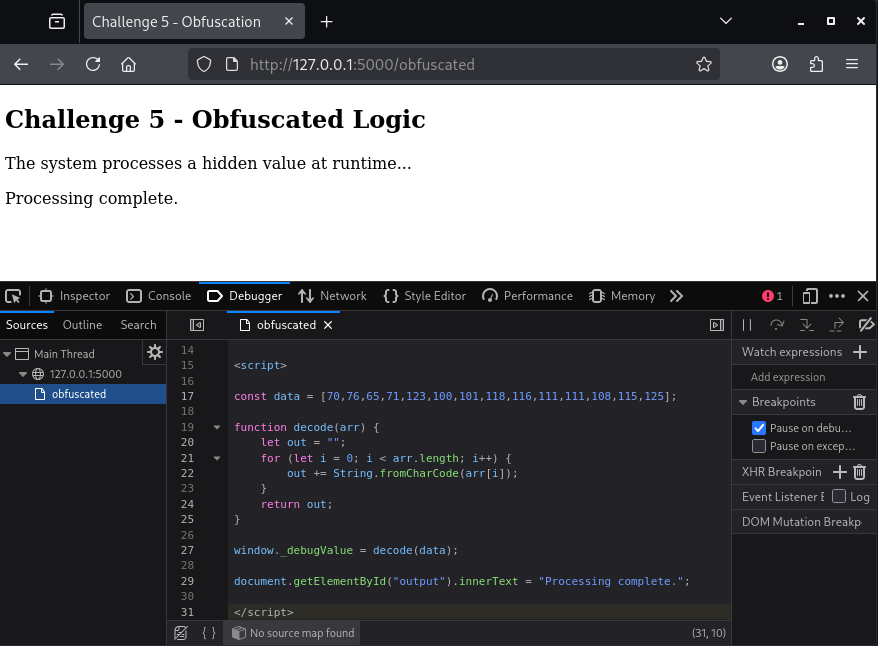
JavaScript may contain security relevant variables that would be beneficial for us to access. In the below example, the code contains obfuscated data.
<script>

const data = [70,76,65,71,123,100,101,118,116,111,111,108,115,125];

function decode(arr) {
    let out = "";
    for (let i = 0; i < arr.length; i++) {
        out += String.fromCharCode(arr[i]);
    }
    return out;
}

window._debugValue = decode(data);

document.getElementById("output").innerText = "Processing complete.";

</script>
Set a breakpoint on the return value.
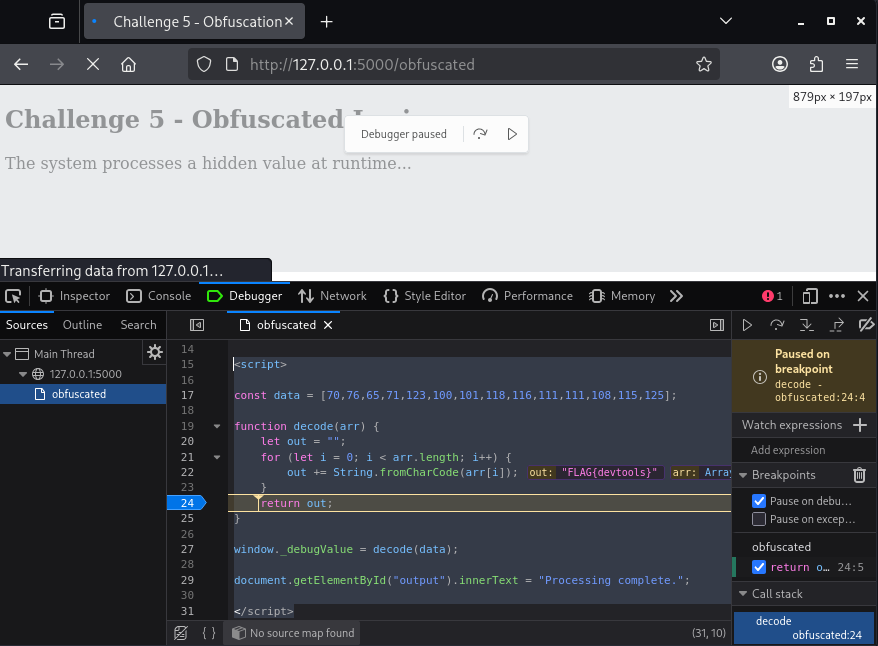
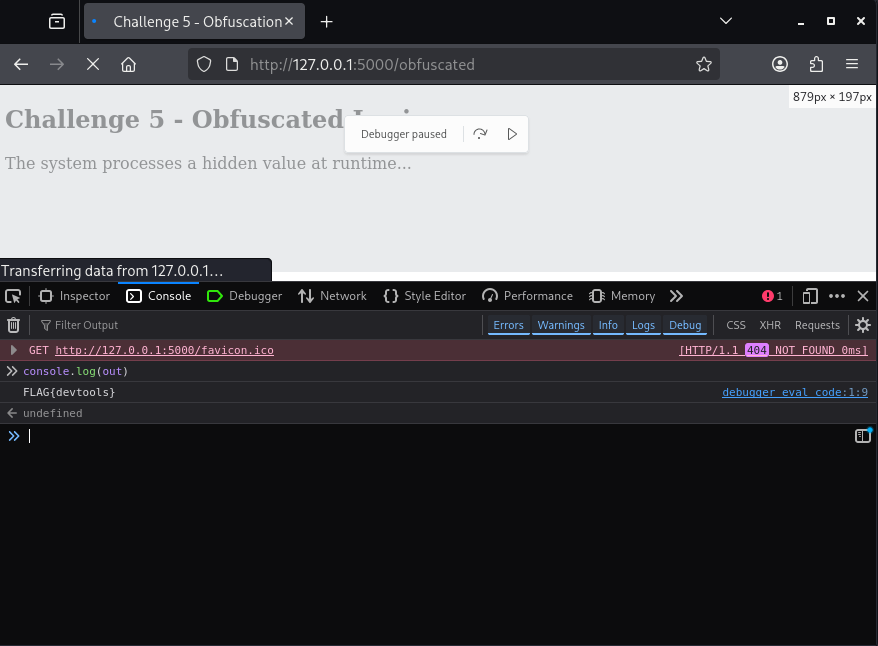
In developer tools we can then use console.log() to output the de-obfuscated value.
Vulnerable Code
The following Flask app contains the vulnerabilities previously described.
from flask import Flask

app = Flask(__name__)

FLAGS = {
    "hidden": "FLAG{hidden_elements_are_not_security}",
    "validation": "FLAG{never_trust_client_validation}",
    "admin": "FLAG{javascript_is_not_authorization}",
    "redirect": "FLAG{client_side_redirects_are_not_security}"
}

HOME = """
<!doctype html>
<html>
<head>
<title>BorderGate Client-Side CTF</title>
</head>
<body>

<h1>BorderGate Client-Side CTF</h1>

<ul>
    <li><a href="/hidden">Challenge 1 - Hidden Interface Elements</a></li>
    <li><a href="/validation">Challenge 2 - Client-Side Validation</a></li>
    <li><a href="/admin">Challenge 3 - JavaScript Access Checks</a></li>
    <li><a href="/redirect">Challenge 4 - Client-Side Redirects</a></li>
    <li><a href="/obfuscated">Challenge 5 - Obfuscated JavaScript</a></li>
</ul>

</body>
</html>
"""

@app.route("/")
def home():
    return HOME

# Challenge 1 - Hidden Elements
@app.route("/hidden")
def hidden():
    return """
    <h2>Challenge 1 - Hidden Interface Elements</h2>

    <p>The button is disabled.</p>

    <button disabled onclick="location='/flag1'">
        Get Flag
    </button>
    """
@app.route("/flag1")
def flag1():
    return f"<h1>{FLAGS['hidden']}</h1>"

# Challenge 2 - Client-Side Validation
@app.route("/validation")
def validation():
    return """
    <h2>Challenge 2 - Client-Side Validation</h2>

    <form action="/register" method="POST" onsubmit="return validate()">

        Username: <input name="username"><br><br>
        Password: <input name="password"><br><br>

        <input type="submit">
    </form>

    <script>
    function validate() {
        alert("Client-side validation blocked submission");
        return false;
    }
    </script>
    """


@app.route("/register", methods=["GET", "POST"])
def register():
    return f"""
    <h2>Registration Successful</h2>
    <p>{FLAGS['validation']}</p>
    """

# Challenge 3 - Client-side Role Check
@app.route("/admin")
def admin():
    return """
    <h2>Challenge 3 - JavaScript Role Check</h2>

    <p>You are logged in as a normal user.</p>

    <div id="panel" style="display:none;">
        <button onclick="location='/admin-panel'">
            Admin Panel
        </button>
    </div>

    <script>
    let role = "user";

    if (role === "admin") {
        document.getElementById("panel").style.display = "block";
    }
    </script>
    """

@app.route("/admin-panel")
def admin_panel():
    return f"<h1>{FLAGS['admin']}</h1>"

# Challenge 4 - Client-side Redirect

@app.route("/redirect")
def redirect():
    return f"""
<!doctype html>
<html>
<head>
<title>Redirect Challenge</title>
<script>
window.location.replace("/login");
</script>
</head>
<body>

<h2>Secret Area</h2>

<p>
If you can see this, JavaScript did not run.
</p>

<p>
<a href="/secret">Continue to secret page</a>
</p>

</body>
</html>
"""

@app.route("/login")
def login():
    return """
    <h2>Login Required</h2>

    <button onclick="location='/redirect'">
        Fake Login
    </button>
    """

@app.route("/secret")
def secret():
    return f"<h1>{FLAGS['redirect']}</h1>"

# Challenge 5 - Obfuscated JavaScript
@app.route("/obfuscated")
def obfuscated():
    return """
<!doctype html>
<html>
<head>
<title>Challenge 5 - Obfuscation</title>
</head>
<body>

<h2>Challenge 5 - Obfuscated Logic</h2>

<p>The system processes a hidden value at runtime...</p>

<div id="output"></div>

<script>

const data = [70,76,65,71,123,100,101,118,116,111,111,108,115,125];

function decode(arr) {
    let out = "";
    for (let i = 0; i < arr.length; i++) {
        out += String.fromCharCode(arr[i]);
    }
    return out;
}

window._debugValue = decode(data);
console.log(window._debugValue);

document.getElementById("output").innerText = "Processing complete.";

</script>

</body>
</html>
"""

if __name__ == "__main__":
    app.run(debug=True)
In Conclusion
Client-side controls are not a reliable security boundary and can be bypassed with minimal effort. Real security must be enforced on the server side, where users cannot directly modify the logic.